
The History Section allows your League to showcase important milestones in a timeline format, similar to the example on the Junior League of Columbus History page. This section is designed specifically for displaying your League's story through dates, milestones, images, and significant achievements.
Before You Begin
You will need:
A list of important dates or milestones in your League's history
Written descriptions for each milestone
Optional images to accompany each entry
Website administrator access with permission to edit pages
Step 1: Create or Edit Your History Page
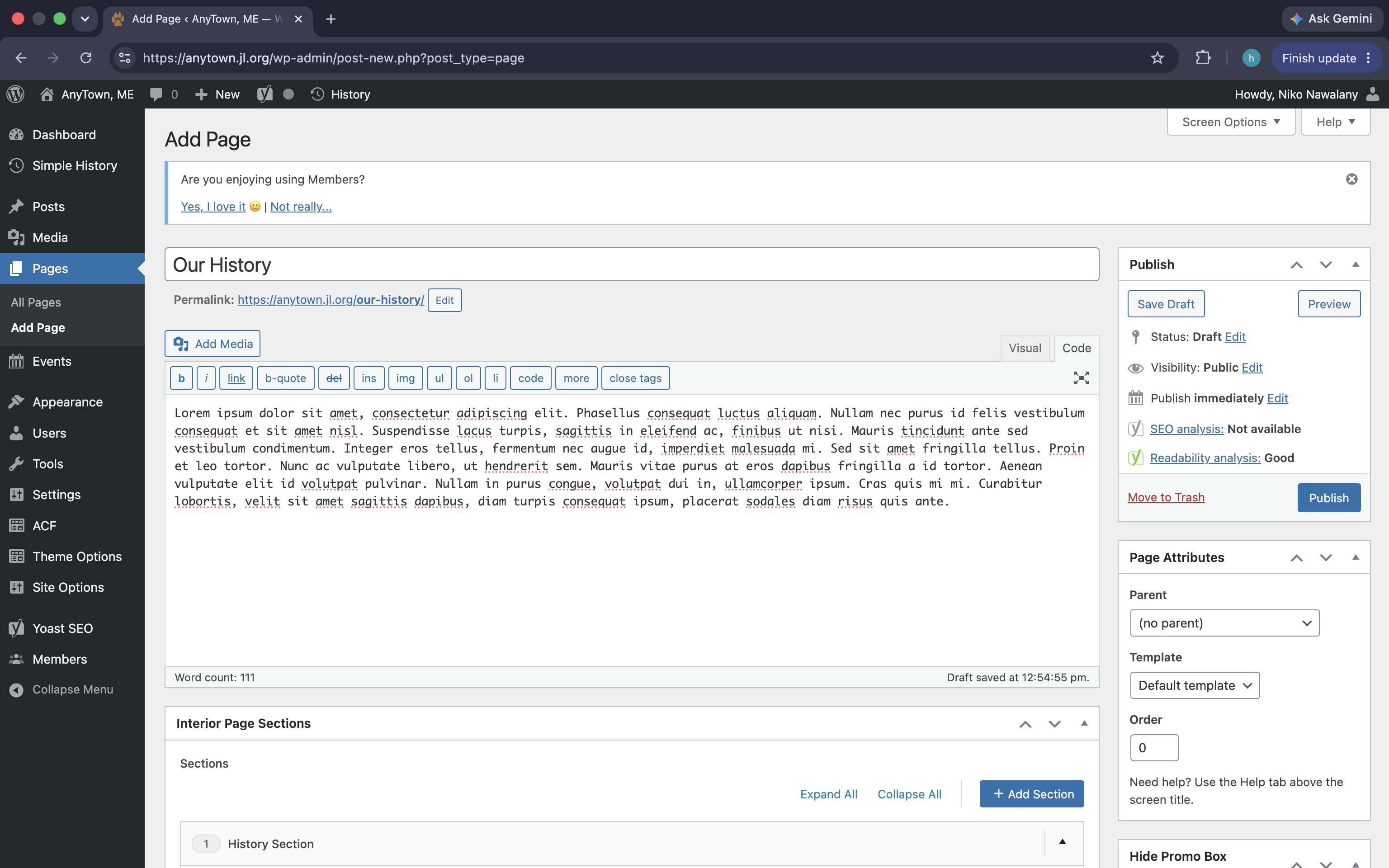
Log into your League's WordPress dashboard.
Navigate to Pages in the left menu.
Either:
Click Add New Page, or
Open an existing page named Our History.
Enter a page title, such as:
Our HistoryAdd any introductory text to the main content editor if desired.
Step 2: Add a History Section
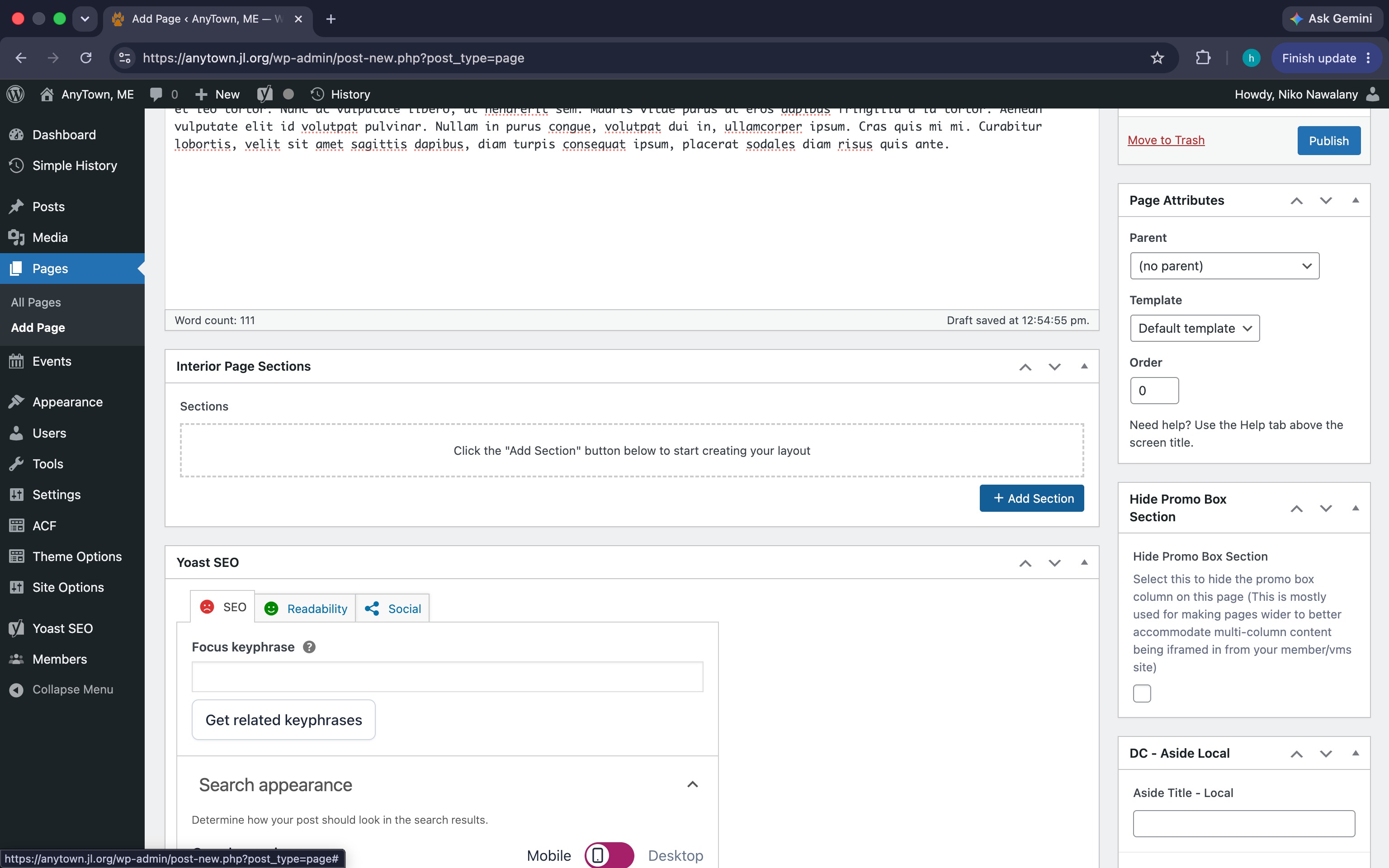
Scroll down to the Interior Page Sections area.
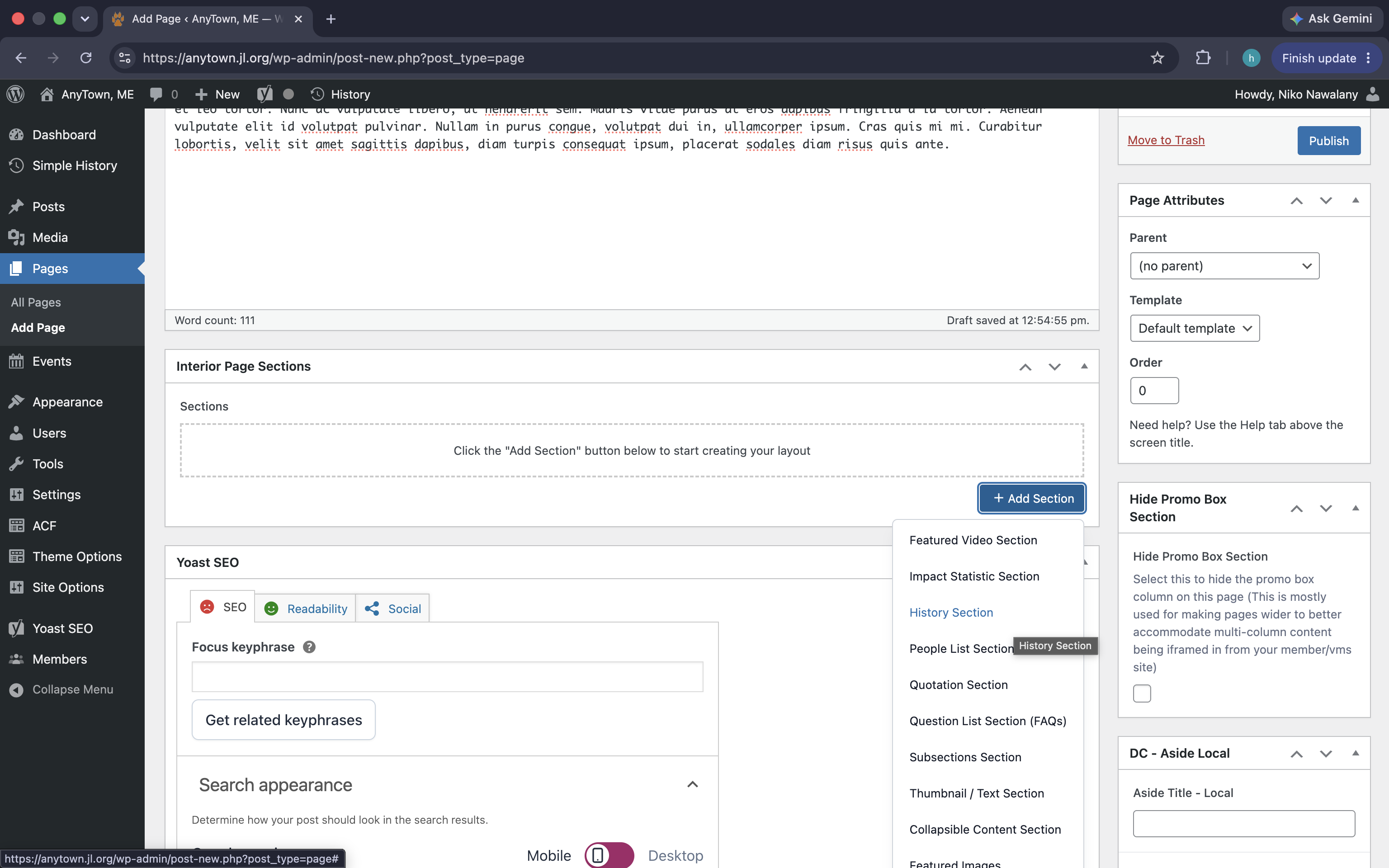
Click the blue + Add Section button.
From the dropdown menu, select History Section.
A new accordion labeled History Section will appear.
Step 3: (Optional) Add Introductory Content
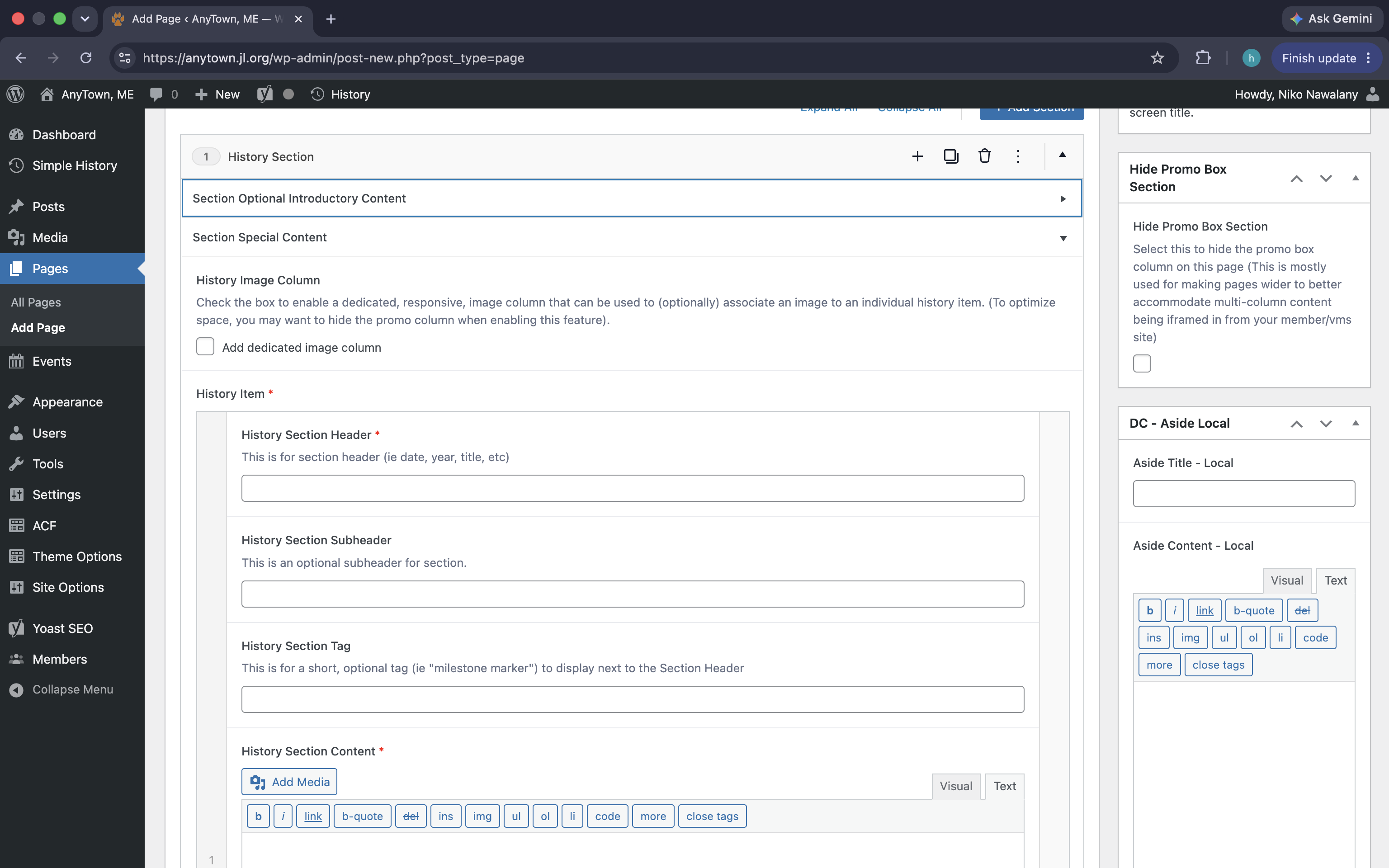
Expand Section Optional Introductory Content if you would like text to appear above your timeline.
Examples:
A brief overview of your League's founding.
A statement about your impact in the community.
An introduction to the milestones below.
This section can be left blank if you do not need introductory text.
Step 4: Configure the History Section
Enable the Dedicated Image Column (Optional)
Check:
☑ Add dedicated image column
This allows each timeline item to include an image, similar to the Columbus History page.
Recommendation: If you use images, consider checking the Hide Promo Box Section in the right sidebar to provide more space for the timeline.
Step 5: Add Your First History Item
Under History Item, complete the following fields:
History Section Header (Required)
This is typically:
A year
A date
A milestone title
Examples:
1928
50th Anniversary
The Junior League of AnyTown is Founded
History Section Subheader (Optional)
Use this for additional context.
Examples:
Incorporated in the State of Maine
Community Impact Initiative Launch
First Fundraising Event
History Section Tag (Optional)
This appears as a small milestone marker beside the header.
Examples:
Founded
Anniversary
Milestone
Community Impact
History Section Content (Required)
Enter the narrative for this milestone.
Example:
In 1928, a group of civic-minded women established the Junior League of AnyTown to address the growing needs of women and children in the community.
You may:
Add links
Format text
Insert images within the content area if desired
Step 6: Add an Image (Optional)
If you enabled the dedicated image column:
Locate the image upload field for the history item.
Click Add Media.
Upload or select an image.
Save the image.
Suggested images:
Historic photographs
Founding documents
Event photos
Newspaper clippings
League logos through the years
Step 7: Add Additional Milestones
To continue building your timeline:
Click Add History Item (if available within the section) or duplicate an existing item.
Repeat the process for each milestone.
Examples:
| Header | Tag | Description |
|---|---|---|
| 1928 | Founded | League established |
| 1955 | Milestone | First major community project |
| 1978 | Anniversary | 50 years of service |
| 2001 | Centennial | 100 years of The Junior League movement |
| 2025 | Impact | New strategic initiative launched |
Step 8: Publish Your Page
When your timeline is complete:
Click Preview to review the page.
Make any adjustments.
Click Publish or Update.
Tips for Building an Engaging History Page
Keep milestone descriptions concise.
Use high-quality historical images whenever possible.
Include major League accomplishments and community impact initiatives.
Highlight anniversaries, significant projects, and leadership milestones.
Present events in chronological order for the best timeline experience.
Example Use Cases
The History Section works particularly well for:
Founding stories
Anniversary celebrations
Community impact milestones
Leadership milestones
Historic fundraising events
Major organizational achievements
For inspiration, review the timeline format used by the Junior League of Columbus History page and adapt it to tell your League's unique story.