
This article will show how to automatically update the registration status of attendees. This is most commonly used for No Shows. i.e. If a Member registers for a GMM but does not show up, their attendance can automatically be marked as a No Show.
Required access:
You will need the Registration Administrator or Administrator access level.
How to get there:
- Go to Admin > Member Management
- Select Registration Tool Manager
Steps to be taken:
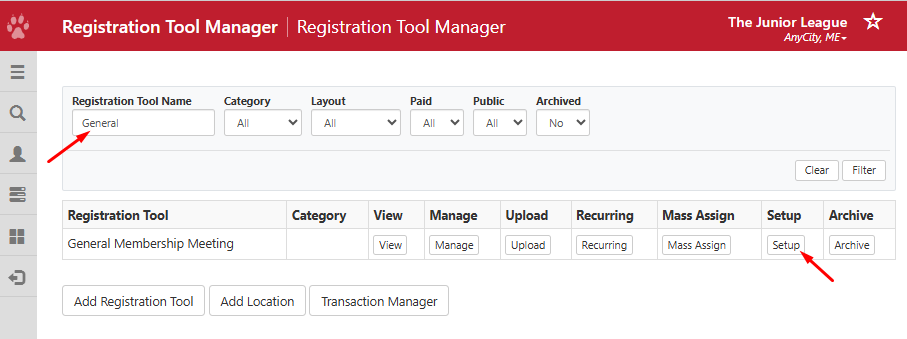
- Next to the registration tool, click on Setup
- Find Advanced - Automatically Change Registration Status and update the following:
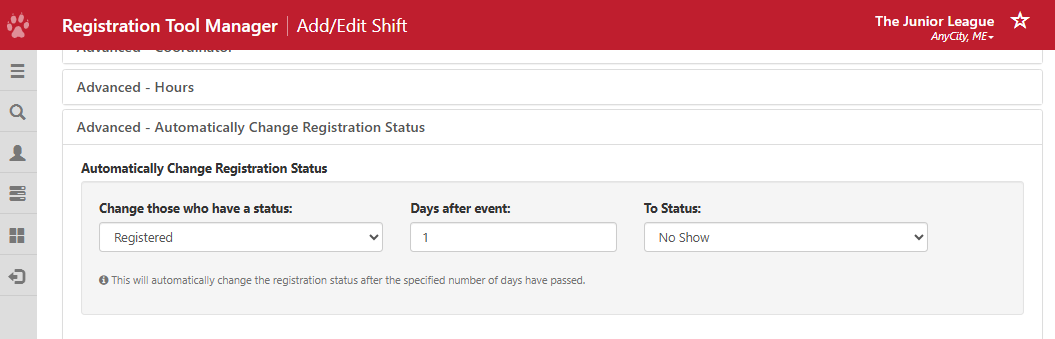
- Change those who have a status: The registration status that is currently set on the Attendance page such as Registered.
- Days after event: Number of Days the new registration status will take effect after the event has passed
- To Status: The registration status you want to update the attendance to such as Registered, Cancelled, No Show or Attended. In our example, No Show is set.
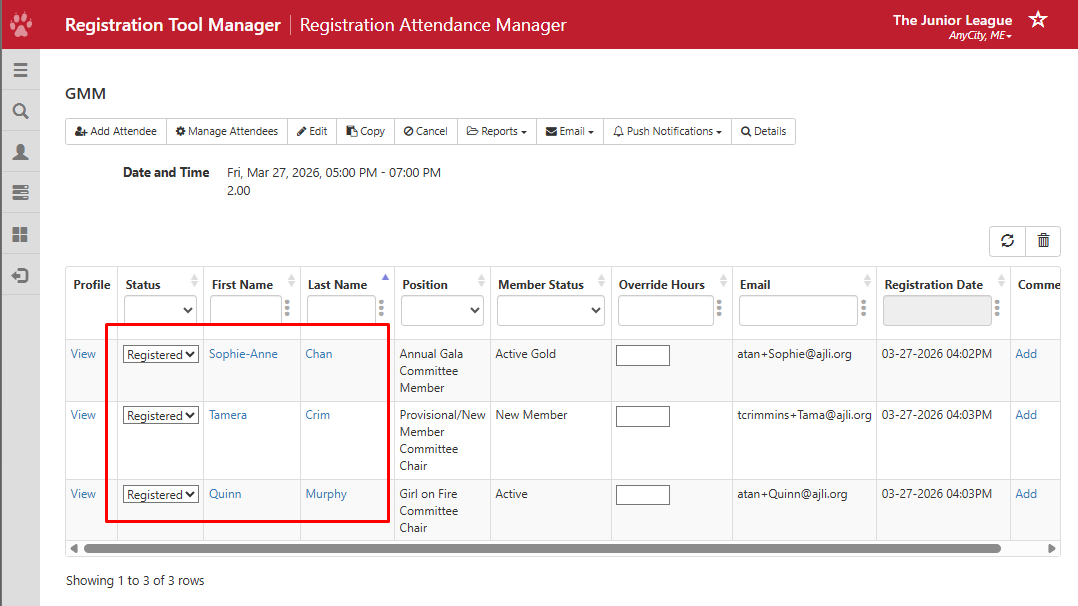
- Based on the number of days you set in Days after event, the status will automatically change to the status configured to To Status. Note, changes are processed nightly and will occur the night after the number of days has been reached.