
There are seven versions of Vendor checklists you can choose from. Take note, the Pay Deposit step will appear for all the checklists, but it does not apply to all unless you collect an early bird or pre-deposit charge.
If you want to collect an application fee, please choose a checklist with the Application Fee step.
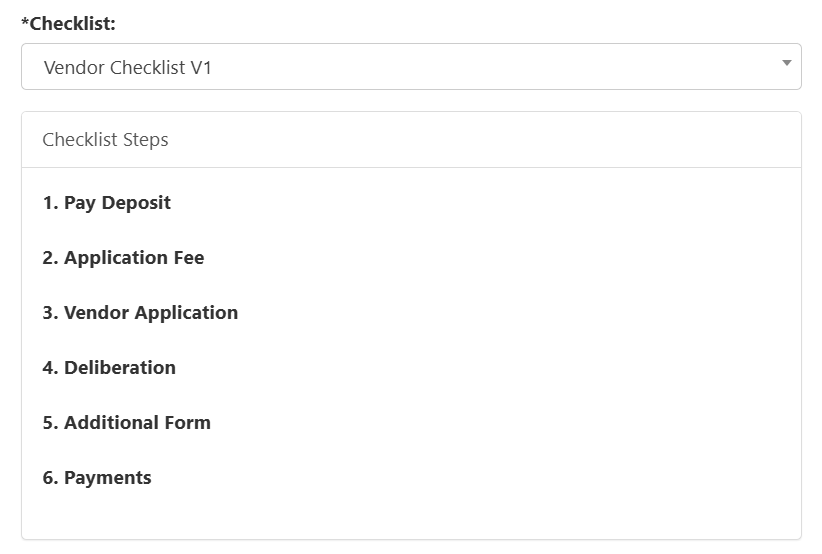
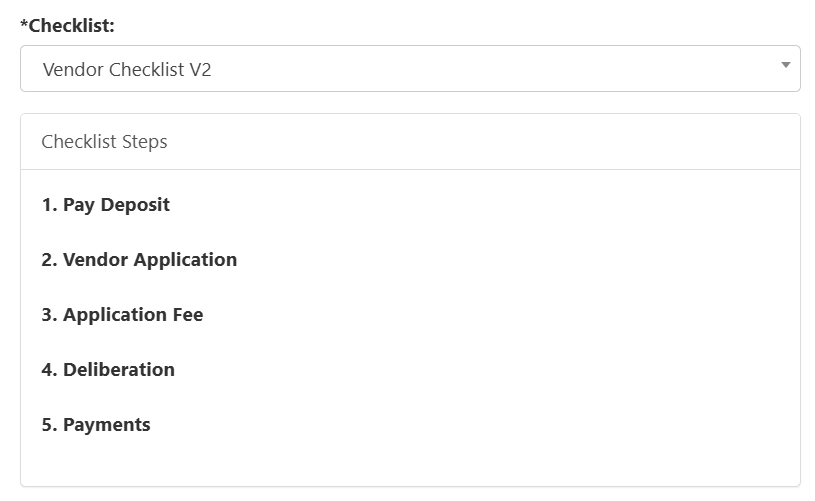
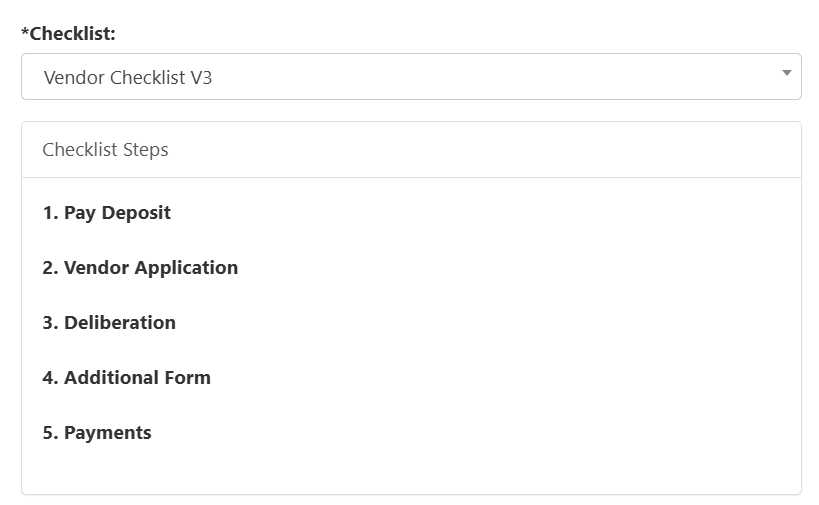

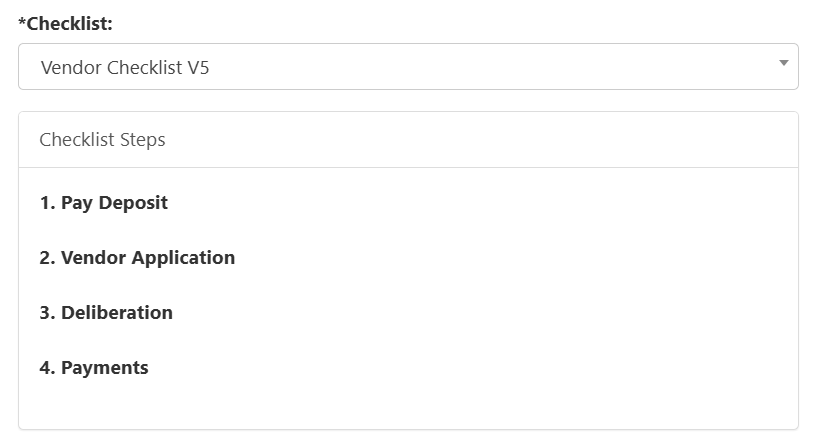
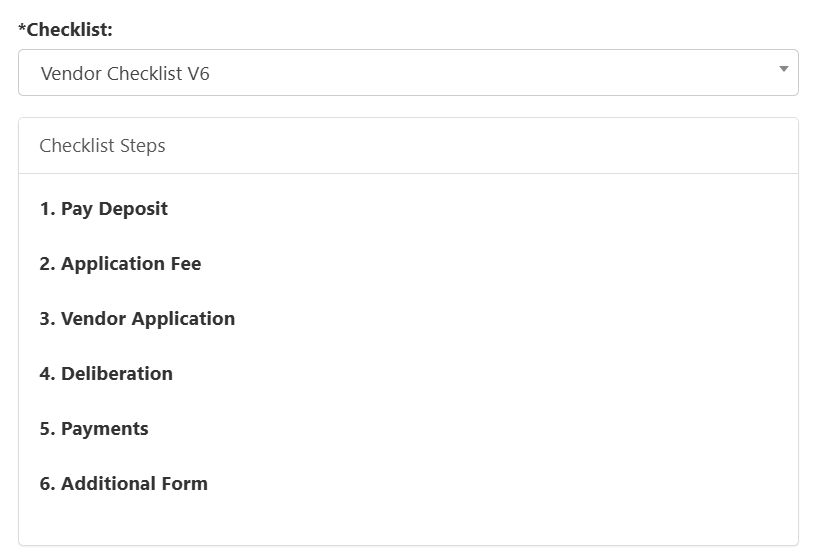
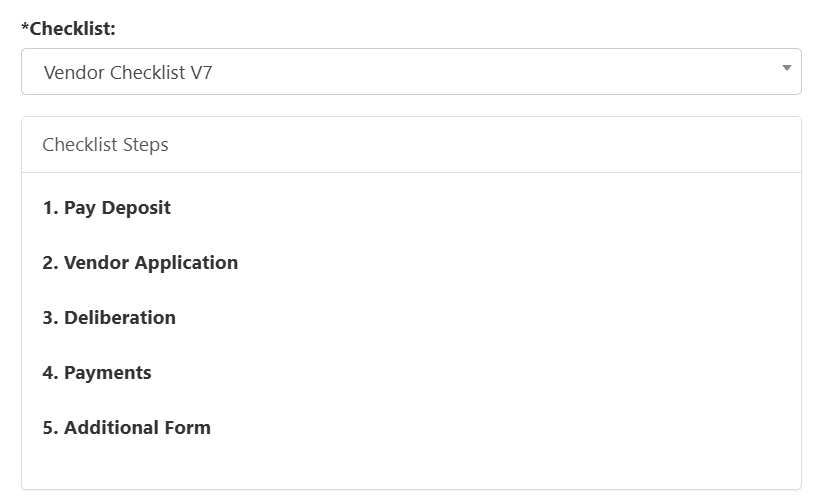
Available Checklist Steps
- Pay Deposit - This step is only visible to vendors if you collect deposits before you begin vendor sign-up. If you do not allow vendors to pay deposits before they sign-up, this step will not be visible.
- Vendor Application - This is the application form that is created in Form Builder for Vendors to fill out. When you create your event, the form is linked to Application Form.
- Additional Form - Vendors can complete any additional forms if needed. When you create your event, this form is linked to Additional Question Form.
- Application Fee - Amount Due to apply to become a Vendor. The Amount can be specified when you edit an event and can be set under Application Fee Amount.

- Deliberation - If the Deliberation status is set to Accepted, this step will be checked off.
- Payments - This is typically the last step. If there are any items charged to the Vendor, they will have to complete the payments. Items can be the Deposit, Corner Booth Fee, Corner Booth, etc.