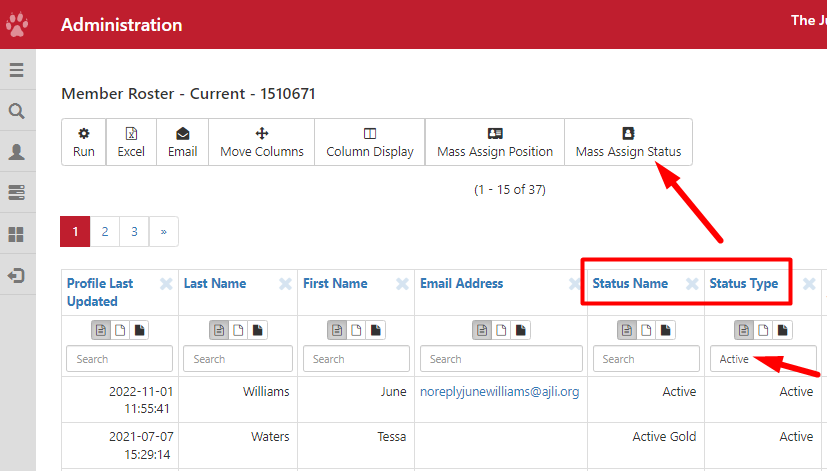
If you have multiple Members, choosing their name one by one is not ideal. You can run reports in the Query Tool and use the Mass Assign Status option.
To assign future statuses for dues, you can go to Admin Directory, filter by statuses and use Export to Query Tool. For example, you can filter Status Type to Provisionals if they will become Active as of June 1st, 2026.
Admin Directory > Export to Query Tool
- Go to the Admin Directory
- To look for a group of members, filter by Status Type or Status Name
- Click on Export to Query Tool
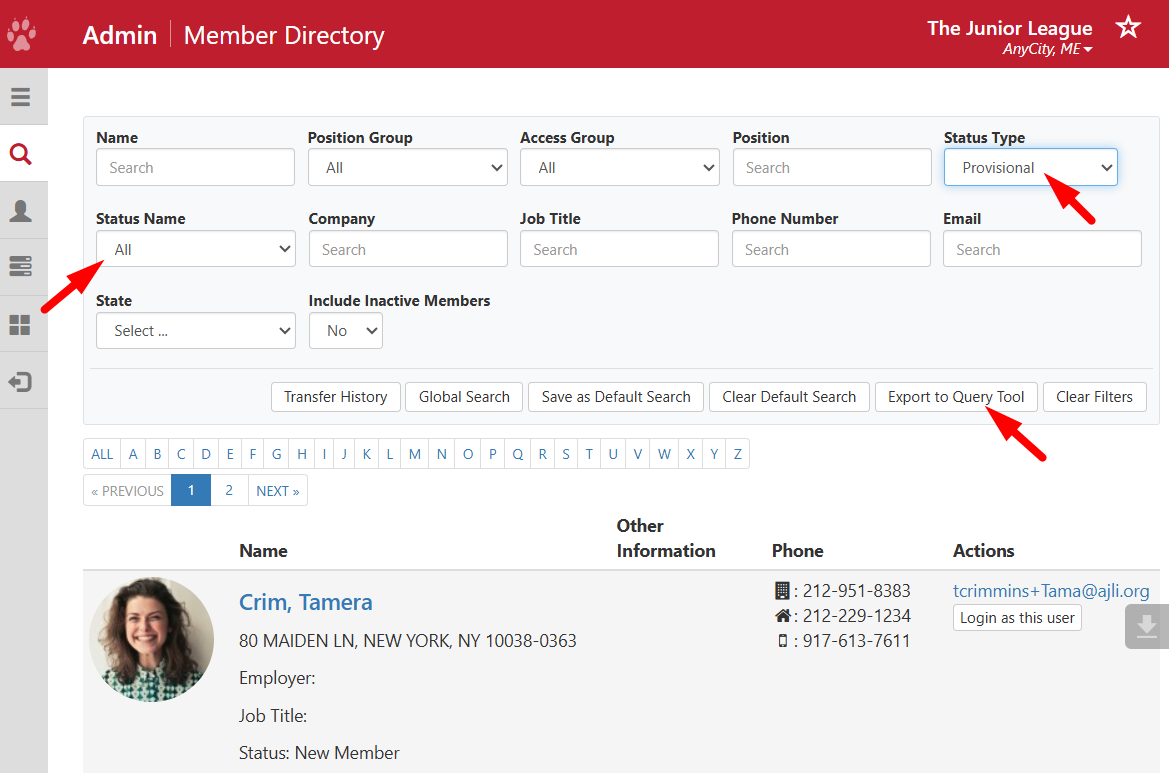
- This will take you to a report in the Query Tool where you can see a list of all the members with the status you searched for
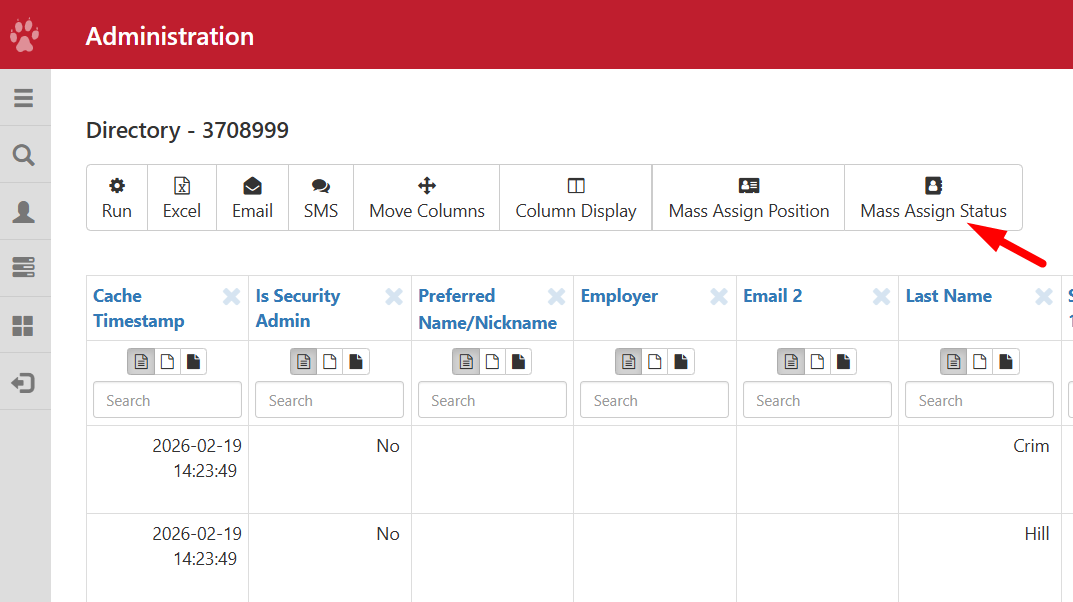
- On the bottom of the report, you can see the total number of members with that status
- Click on the Mass Assign Status to populate the list.
- Update the Status and Effective Date to complete the status change. See Assigning Statuses using Status Mass Assign.
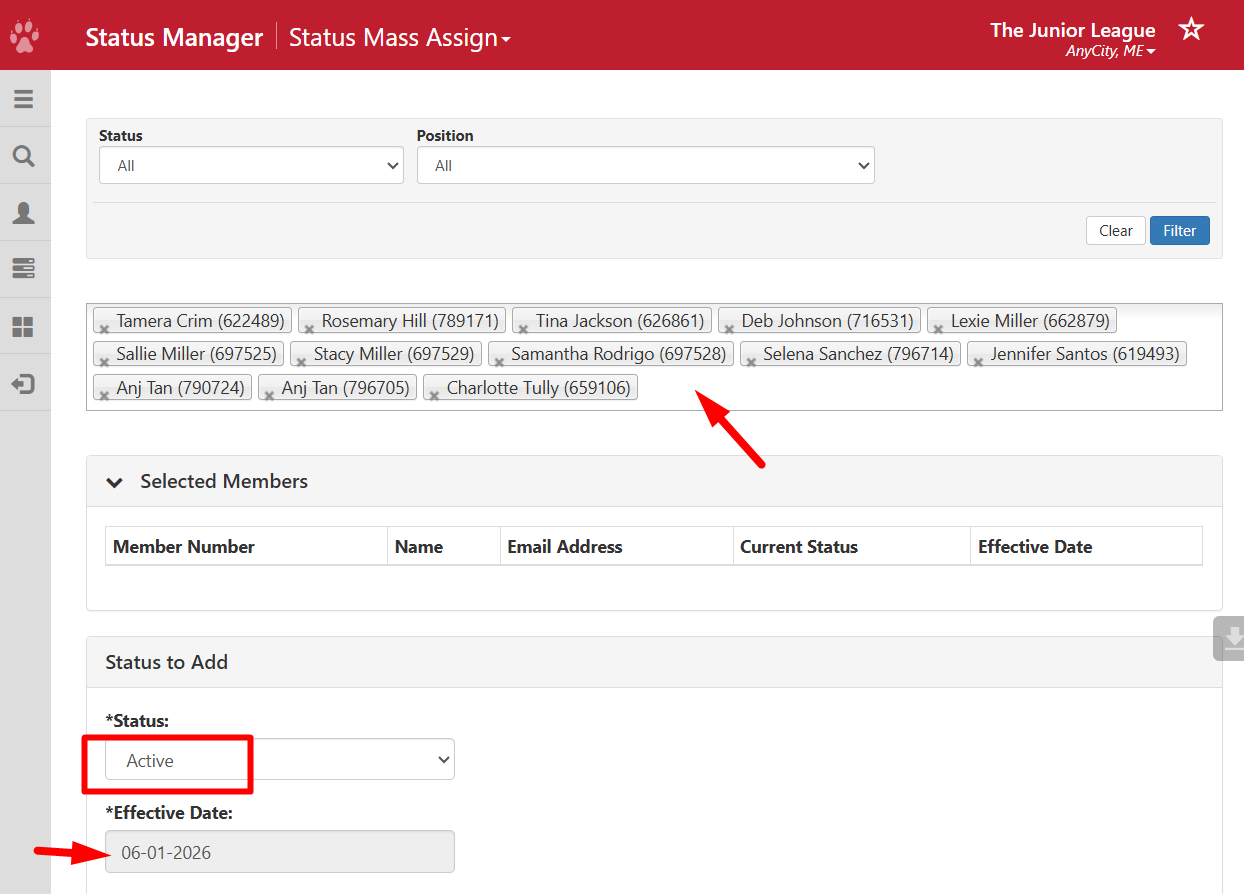
Query Tool > Mass Assign Status
In the Query Tool, you can run a report such as Member Roster - Current, and use the Mass Assign Status option to populate the list of names in Status Mass Assign > Pick One or More Accounts.