
When a Member’s credit card is declined, she will receive an email with a link to update her card. After the card is updated through the renewal link, the system will automatically apply the payment due. This only applies for payment plans and recurring payments.
Required Access:
You will need Stripe Administrator or Administrator access level to see Failed Renewals in Stripe Admin
Where to Go:
- Go to Admin > Member Management
- Find Stripe Admin
- Click on Transactions and choose Failed Renewals
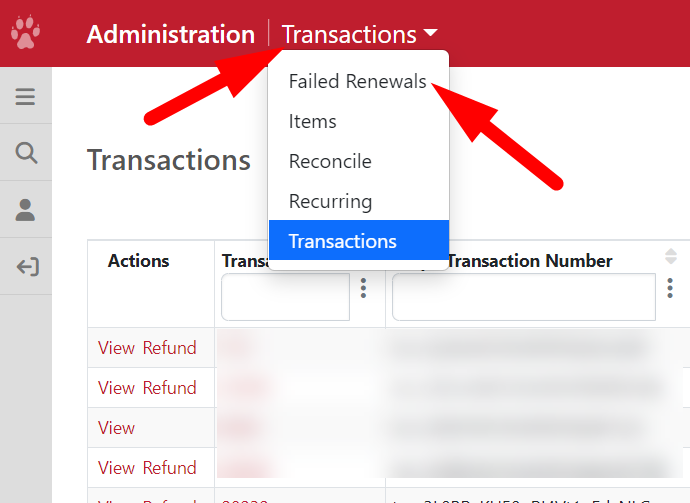
Failed Renewals
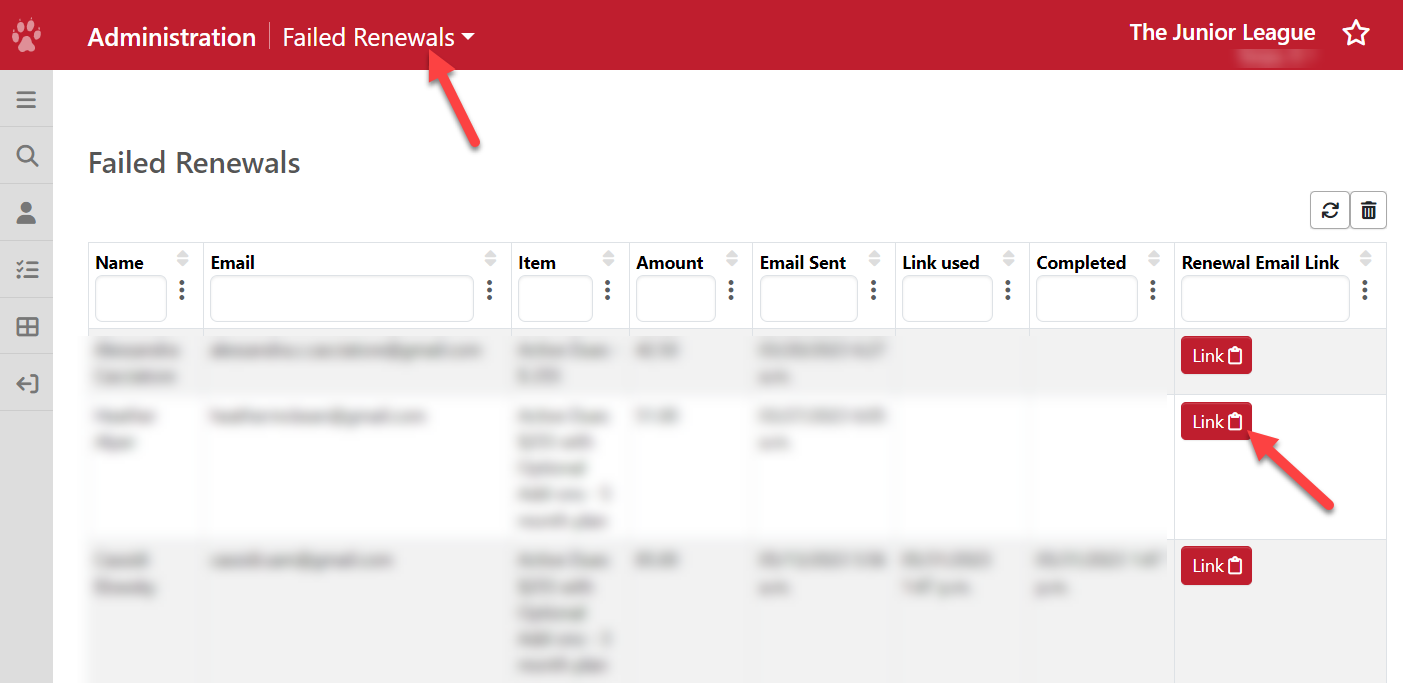
- In the Failed Renewals page, you will see all automatic renewal plans that have failed because of a credit card issue. If a Member's credit card gets declined, she should have received an email with a link to update her credit card information.
- If she is having issues locating this email, you can go to this page to re-send her the link.
- Find the Member's name and click on Link under Renewal Email Link to copy it.
- You can send the link via email or the Email Tool.
- After she updates her credit card information through the link, you will see the following columns:
- Name - member's name
- Email - email address where the renewal link was sent
- Item - the dues definition (payment plan or recurring) from Dues Listing
- Amount - amount due when the credit card was declined
- Email Sent - the date and time when the renewal email was sent
- Link Used - the date and time when the Member clicked on the renewal link
- Completed - the date and time when the Member updated her credit card info
Take note, if the Link Used column is blank, you can reach out to the Member directly to see if they received the email. If they didn't receive the email, it's possible that it went to their Junk or Spam folder.
- To prevent this from happening in the future, please ask your Members to whitelist donotreply@ajli.org. See https://clean.email/blog/email-security/how-to-whitelist-an-email
How Missing Payments are Charged
For payment plans, missed installments are charged based on when the credit card is updated, while auto‑renew plans automatically process daily payments until the account is current.
Payment Plans
- If a member updates their credit card after the Final Bill Date, all outstanding installments will be charged in a single transaction.
- If the update occurs before the Final Bill Date, only the missed installments will be charged. Any subsequent charges will also be billed with the new credit card information.
Recurring (Auto‑Renew) Plans
- For recurring auto‑renew plans, the system will automatically process additional payments on a daily basis until the member’s account is fully current.
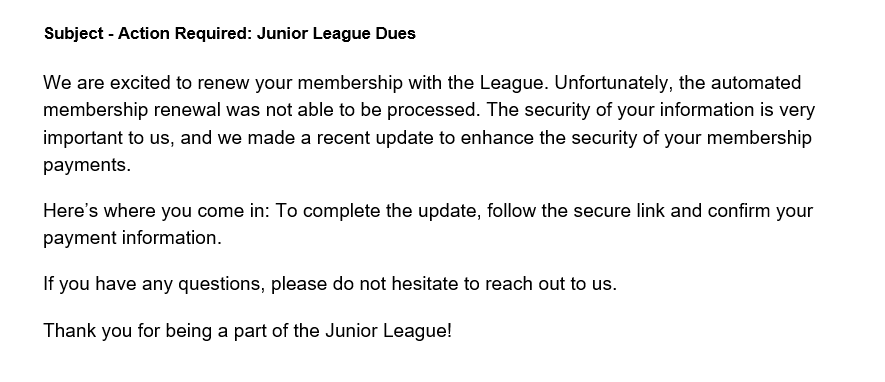
Renewal Email
Here is a sample email below with the subject - Action Required: Junior League Dues
Take note, if there is a failed payment plan with an add-on, the Membership Dues Requirement will not look correct. To adjust the Paid, Total Paid/Adjustments and installment totals, please send a message to MemberEssentials@ajli.org with the Member's name, your League and "Adjust Dues - Failed Renewal Add-On" in the subject line.